Planning a holiday in India often means several cities, several modes of transport and a lot of tabs. Flights, trains, cabs, hotels and things to do are each booked and compared on their own.
Those pieces rarely add up to one picture. A traveller could not see a whole round trip, with its legs, nights and rough cost, in one place. Changing it with friends, or finding what is worth doing nearby on arrival, was harder still.
Could a whole multi-city trip fit on one phone screen, clear enough to understand at a glance and easy enough to change?
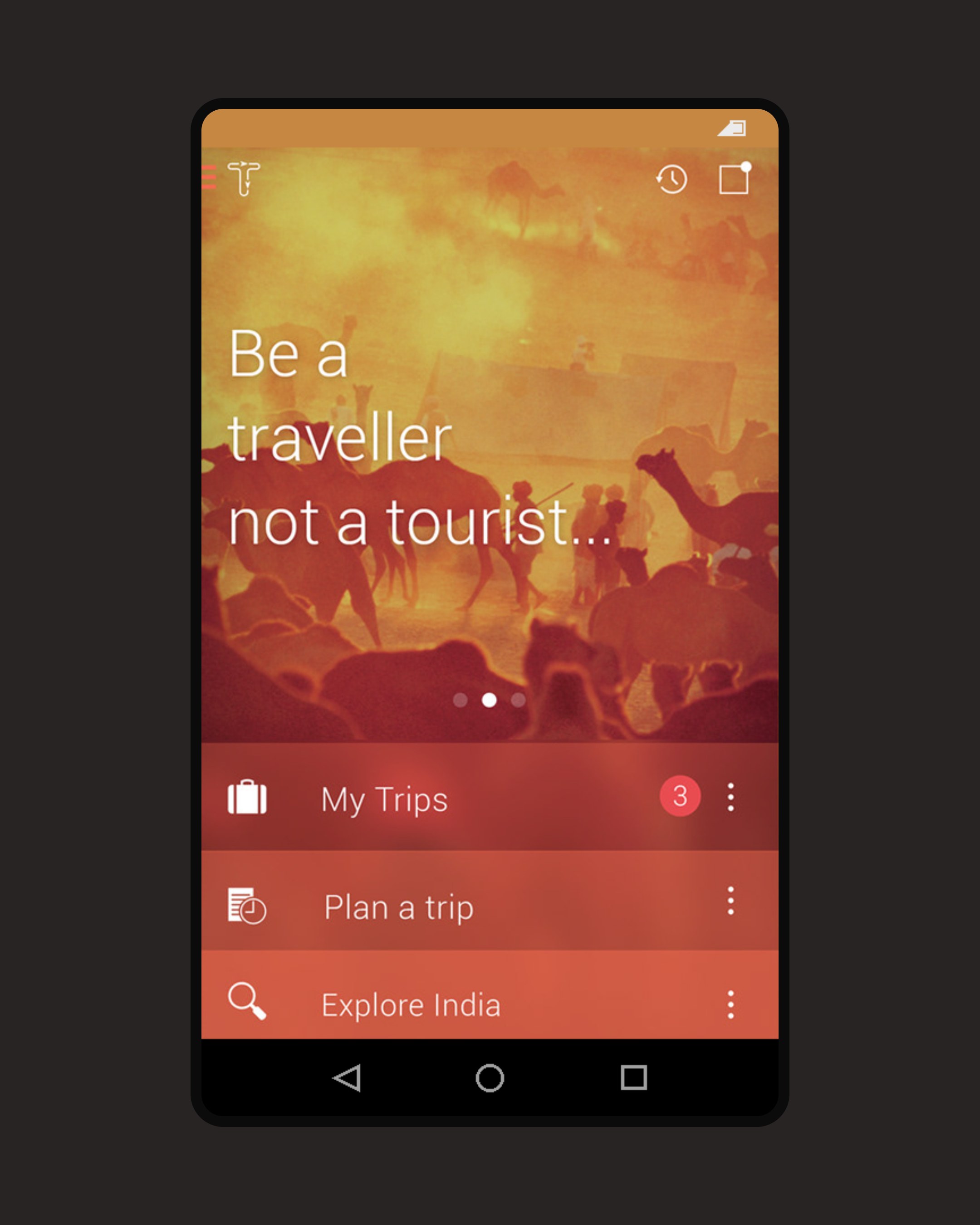
Tripigator plans a trip from one short form: where from, where to, interests, dates, travellers and budget. I drew each plan as a loop, with cities as nodes and flights, trains and cars as the legs between them. Days, nights and an approximate price sit on the loop, with list and map views behind it. Destination guides, a radial "places near you" menu and a distance-sorted list take over once the trip begins.
My roleProduct designer. Owned the concept, design and experience of the Android app: the warm visual language, custom interest icons, trip planner, visual itinerary, destination guides and nearby exploration.
02
Plan a trip
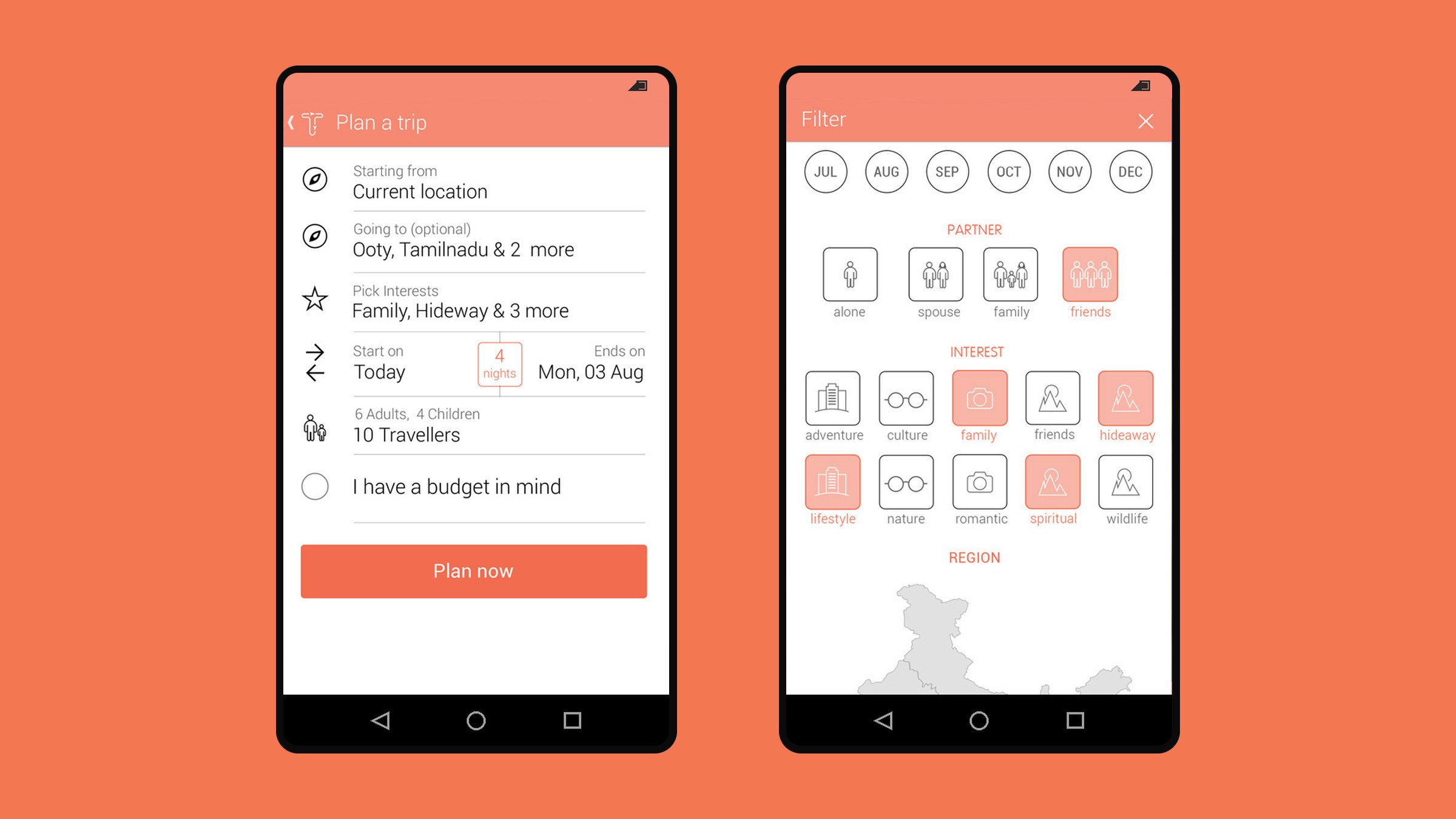
One short form: starting point, destinations, interests, dates with a nights count, adults and children, and an optional budget. Custom icons for interests such as friends, hideaway, spiritual and wildlife, plus pickers for travellers and price range, keep each input to a tap or two.
The plan-a-trip form beside its interest and travel-partner filter.
03
The round trip as a loop
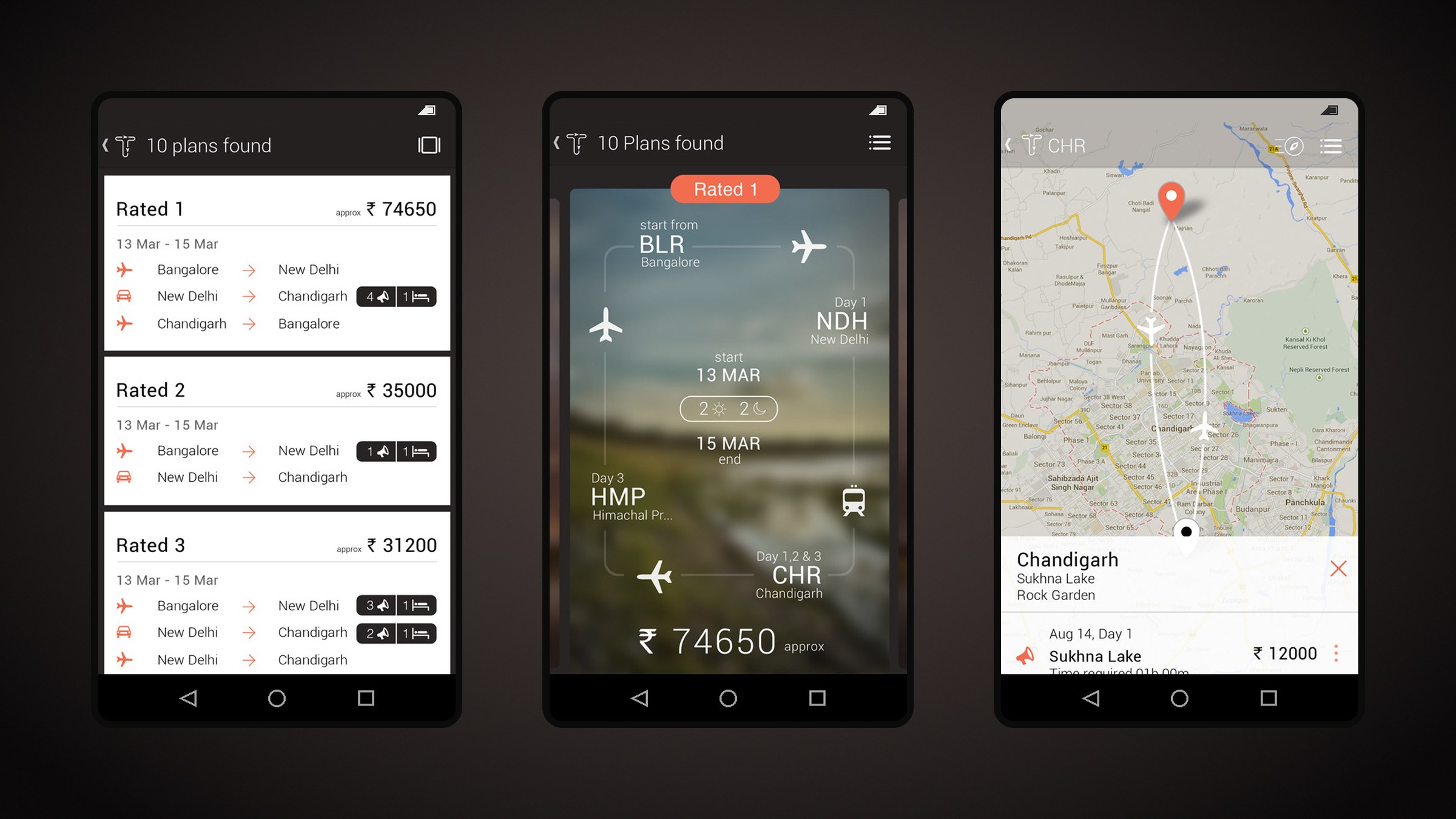
Results arrive as ranked plans. Each one draws the round trip as a loop: Bangalore to New Delhi by air, on to Chandigarh by car, and back by air. Days, nights and an approximate price in rupees sit on the loop. A list view compares plans side by side, and a map view traces the same route. Plans can be shared with friends or added to My Trips.
Ranked plans, the loop and the same route on a map.
04
Everything about a destination
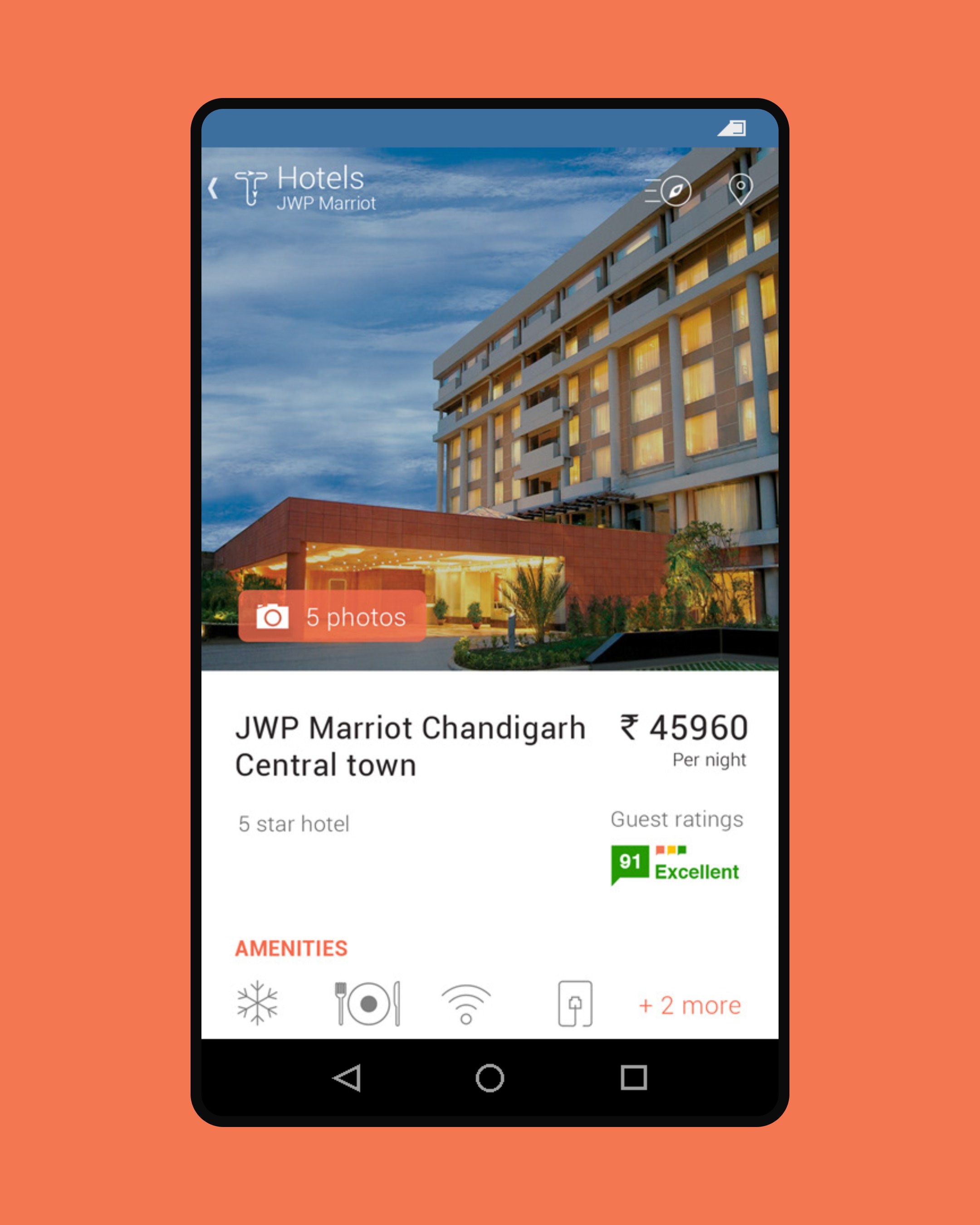
Destination screens collect what matters: weather, best time to visit, suggested days and nights, and price. Activities, hotels, eateries and ways of getting there each have their own list with filter and sort, down to hotel detail with guest ratings and amenities.
Hotel detail at the centre of activities, hotels, eateries and ways of getting there.
05
Explore what is nearby
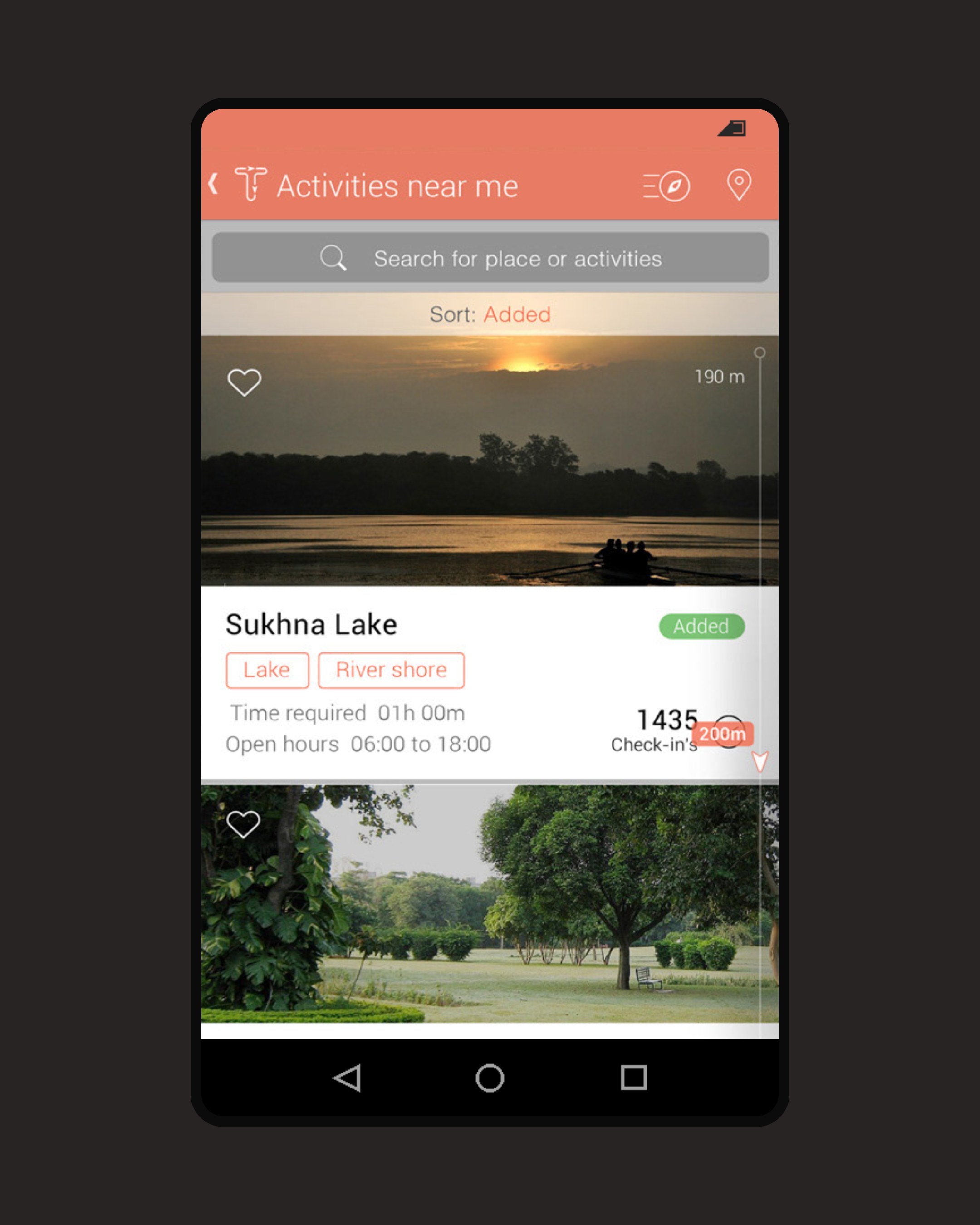
Explore searches destinations by interest and shows how many people have been there. A radial menu opens activities, eateries, hotels and practicalities around you. Filters cover month, travel partner, interests and region, and the near-me list scrolls by distance, nearest first, with the live distance shown on the scroll bar.
The near-me list sorts by distance; Explore opens a radial menu around you.